
Enable Coach Mode
Sign in to PGC and create your coach profile. PGC assigns your shareable Coach ID.
PGC does not replace the coach. It gives golfers structured swing information between lessons and gives an authorized coach a clearer way to review the evidence, progress and saved AI_Coach context behind each analysis.
Coach Mode is enabled on the PGC account in the app. The same Firebase Authentication credentials are then used for the secure web coach area.
Sign in to PGC and create your coach profile. PGC assigns your shareable Coach ID.
A golfer enters your Coach ID in their PGC Coaching area. The player controls the relationship and permissions.
The active player–coach link determines whether you can view analyses, evidence, progress and add coaching annotations.
Use Coach login on the website to go straight to Your Players and open an authorized player’s saved PGC history.
The coach workspace turns a player-authorized PGC link into a practical review flow: open the player, choose a saved analysis, inspect the exact stored swing positions, then add your own visual coaching.
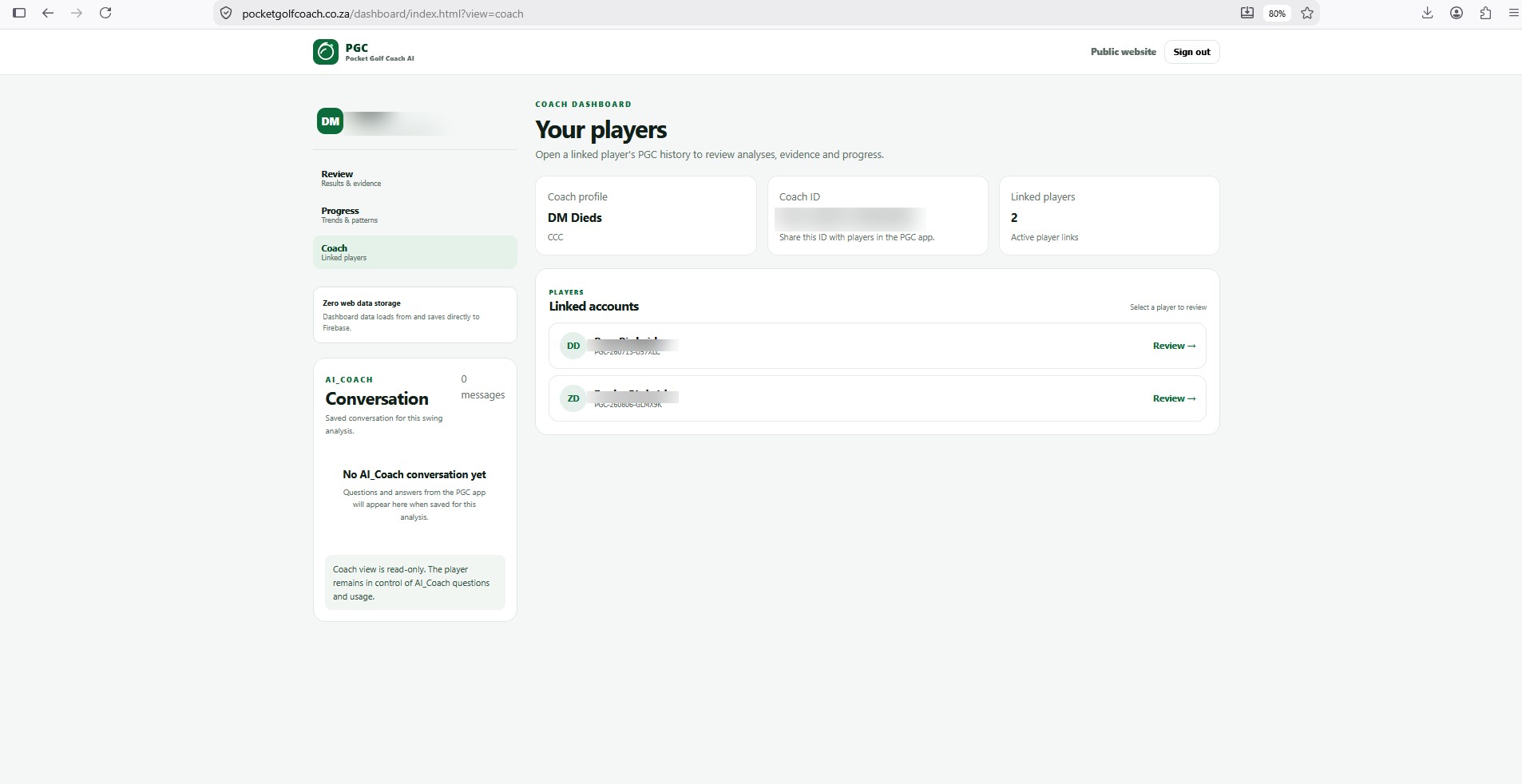
Your Players keeps active player links in one place. Select Review to open the golfer's saved PGC analysis history. The player remains in control of the coach relationship.
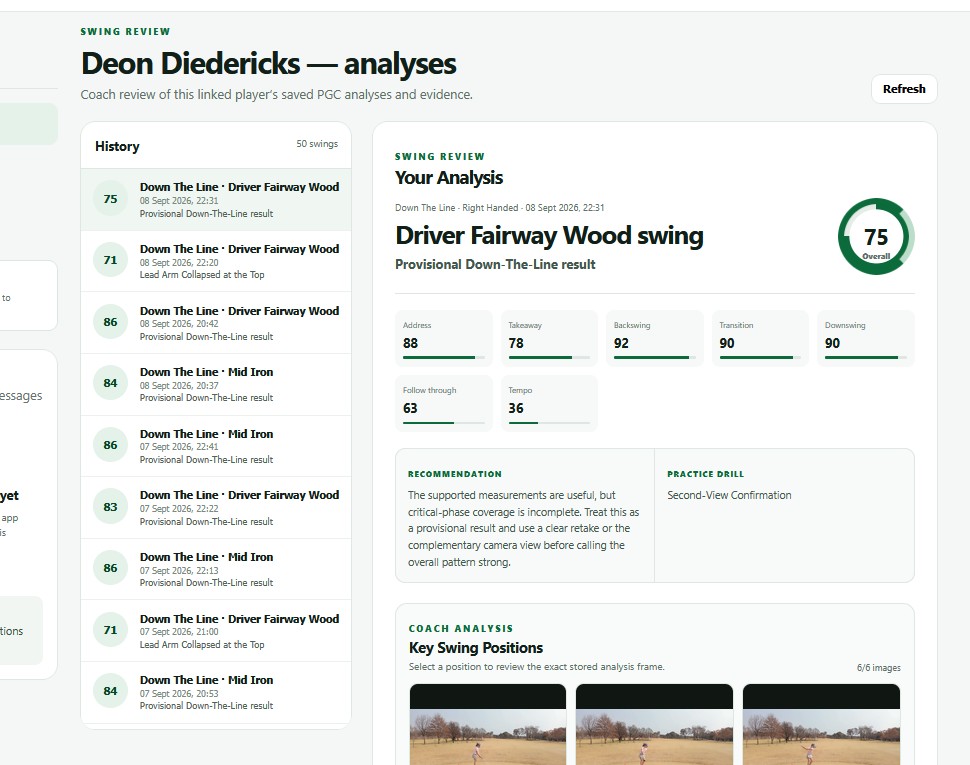
Choose any saved swing to review its score, phase results, recommendation and drill. The player's saved AI Coach conversation appears alongside the review as read-only coaching context.
Review the six stored coaching frames: Address, Takeaway, Top, Downswing, Impact and Finish. Select a position to open the exact analysis frame in the coaching workspace.

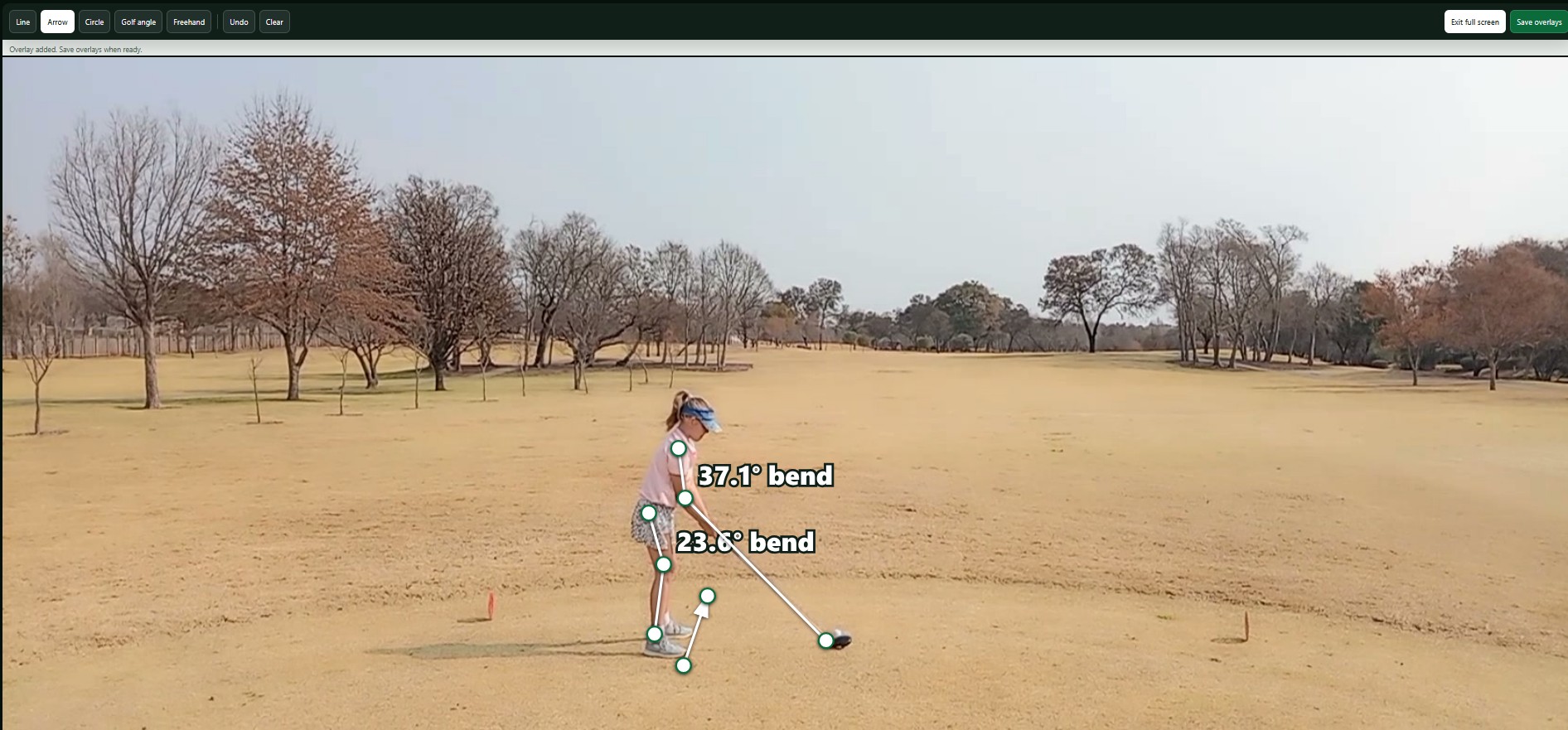
Open a frame full screen and use lines, arrows, circles, golf-angle measurements and freehand drawing to explain the movement visually. Saved coach overlays stay separate from PGC's original detected evidence.
Address, Takeaway, Top, Downswing, Impact and Finish are retained as exact coaching frames for each new analysis.
Use visual overlays and golf-angle measurements to communicate your own observations directly on the selected frame.
See the player's saved AI Coach conversation beside the analysis while keeping the coach view read-only.
A linked coach can review only the data the player has authorized. Original PGC evidence remains player-owned. AI_Coach conversations are visible in coach review as read-only context, while coach annotations remain separate from the original detected evidence.
Open a player → select an analysis → inspect evidence → review AI_Coach context → save permitted annotations.
Open Coach loginUse the same email and password as your PGC account. Coach login verifies that the signed-in account has an enabled coach profile before opening the coach dashboard.