
Capture your swing
Record or upload a clear full-swing video in the PGC mobile app from a supported camera view.
The mobile app handles analysis; the members area extends the review, annotation and progress workflow on the web.
Record or upload a clear full-swing video in the PGC mobile app from a supported camera view.
Choose the club category and let PGC evaluate the supported swing phases and measurements.
Review the score, primary issue, recommendation, drill, detected faults and evidence in the app.
Sign in on the web with the same registered PGC account. Your saved analyses and evidence are loaded directly from Firebase.
Use a larger screen to inspect evidence and add manual lines, arrows, circles, freehand marks and golf-angle overlays.
Use Progress to follow score movement, phase performance, recurring faults and positive patterns, with filters for camera view and club.
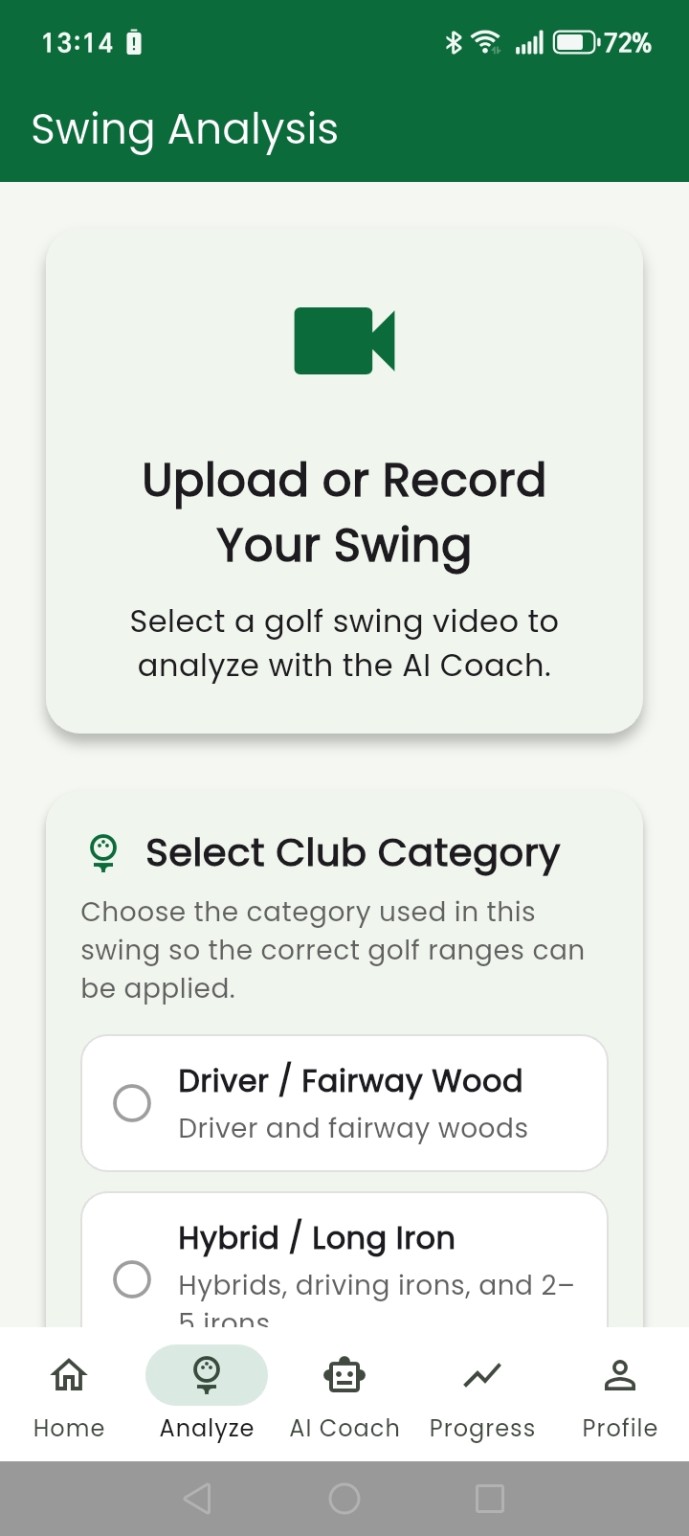
PGC – Pocket Golf Coach AI uses the selected club category and available video evidence to apply the appropriate analysis ranges and supported measurements.
Swing analysis stays in the mobile app. The web dashboard reads your completed results and evidence, lets you interact with them, and stores your annotations back to Firebase.