
Swing analysis
Analyze supported camera views and key swing phases using available movement measurements.
More than a score: evidence, coaching context, fault prioritization and progress in one workflow.
Analyze supported camera views and key swing phases using available movement measurements.
Review relevant evidence images and supported overlays so the finding is easier to understand.
Focus on higher-impact issues while avoiding unnecessary duplication of downstream symptoms.
Ask follow-up questions with the analysis context attached to the coaching conversation.
See recurring faults, strengths, recent analyses, confidence, coverage and phase trends.
Turn analysis into a focused recommendation and practical drill for the next session.
Sign in on the web with your PGC account to review saved analyses, scores and evidence on a larger screen.
Draw lines, arrows, circles, freehand marks and golf-angle overlays on evidence images, then save the annotations back to your account.
Filter saved swing history by camera view and club to compare like with like and see more meaningful progress patterns.
Authorized coaches can review linked players, six key swing positions, saved AI Coach context and add visual coaching overlays on the web.
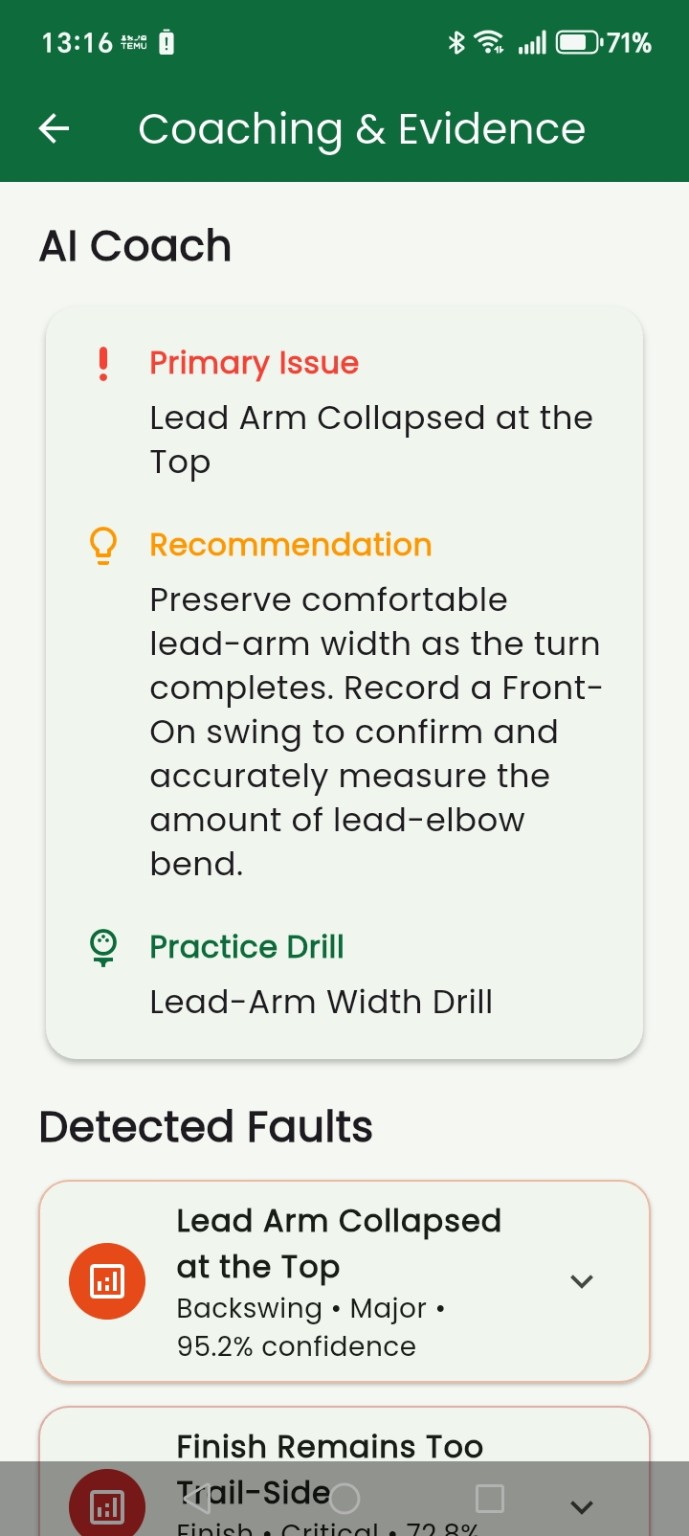
The Coaching & Evidence view brings the primary issue, recommendation, practice drill and detected faults into one place.
The private web dashboard gives registered PGC users more room to inspect evidence, add manual annotations and study progress across saved swings.
Move from player history to exact swing positions, then add your own visual coaching with full-screen drawing and golf-angle tools.
Player-authorized access, saved analysis context and coach annotations in one web workflow.